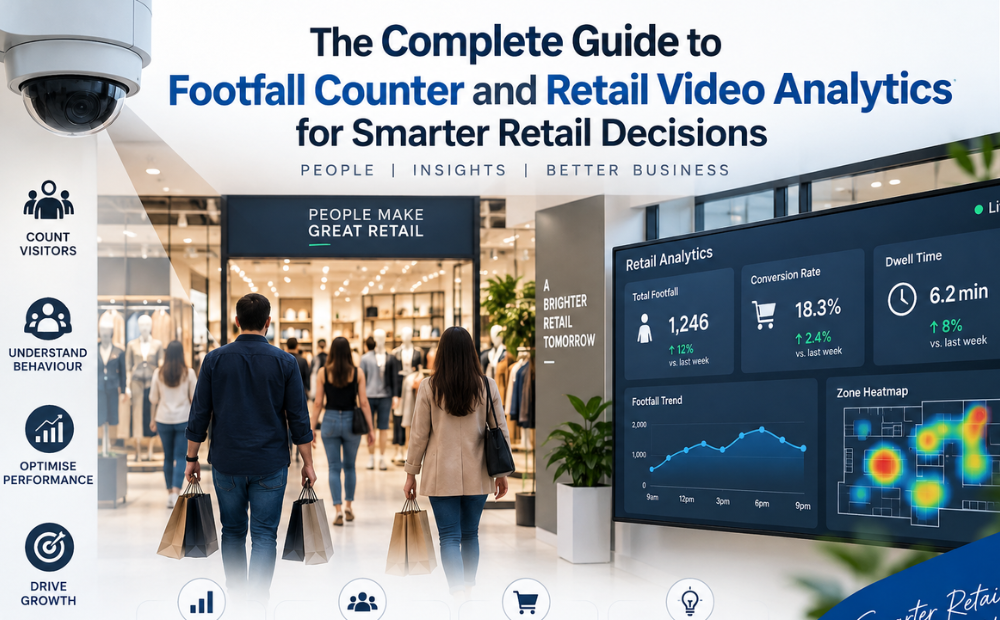
Retail is changing rapidly. Customers expect convenient shopping experiences, retailers face increasing competition, and businesses need to make faster decisions based on reliable data.
For years, retailers have relied on sales reports, customer feedback, and staff observations to understand store performance. While these methods are useful, they do not always explain what happens before a customer reaches the checkout.
How many people enter the store? Which areas attract the most attention? Where do customers spend time? When does the store become crowded? Why do some visitors leave without purchasing?
A footfall counter and retail video analytics can help answer these questions.
By combining store traffic data with customer movement insights, retailers can understand their stores more clearly and make smarter, data-driven decisions.
What Is a Footfall Counter?
A footfall counter is a technology solution designed to measure the number of people entering a retail location and, depending on the system, exiting it.
Instead of estimating visitor numbers manually, retailers can use automated counting to monitor store traffic consistently.
A footfall counter can help businesses understand:
- Daily visitor volumes
- Weekly and monthly traffic trends
- Peak shopping hours
- Entry and exit patterns
- Changes in store traffic
- Differences between locations
This information provides a basic but important metric for evaluating store performance.
For example, if visitor numbers increase but sales remain unchanged, the retailer may need to investigate its conversion rate rather than focus solely on attracting more customers.
What Is Retail Video Analytics?
While a footfall counter focuses primarily on counting visitors, retail video analytics provides deeper insights into what customers do inside the store.
Retail video analytics uses camera feeds and intelligent software to analyze customer movement and activity. Depending on the solution, retailers may be able to understand traffic patterns, customer flow, dwell behavior, high-traffic zones, and potential congestion areas.
This creates a more detailed view of the customer journey.
For example, a store may discover that customers frequently enter a particular department but rarely move beyond it. That could prompt retailers to examine the layout, signage, product availability, or merchandising in that area.
Why Retailers Need More Than Sales Data
Sales data tells retailers what was purchased.
It does not always explain:
- How many people visited the store
- How many visitors did not purchase
- Which areas received the most traffic
- Where customers encountered congestion
- Which displays attracted attention
- When customer traffic peaked
This is where a footfall counter and retail video analytics become valuable.
By combining traffic, movement, and sales information, retailers can better understand the relationship between customer behavior and business performance.
Key Benefits of a Footfall Counter
1. Measure Store Traffic
A footfall counter provides an objective measurement of visitor numbers.
Retailers can track traffic trends and determine whether customer visits are increasing, decreasing, or remaining stable.
2. Identify Peak Hours
Knowing when customers visit helps retailers plan staffing, inventory replenishment, promotions, and checkout resources more effectively.
3. Measure Conversion Opportunities
When footfall is compared with transaction data, retailers can estimate how effectively store visitors are being converted into customers.
4. Compare Store Locations
Retail chains can compare traffic levels between locations and identify stores that may require additional attention.
Key Benefits of Retail Video Analytics
1. Understand Customer Movement
Retail video analytics can help retailers understand how customers move through different areas of the store.
This can support better decisions about store layout and product placement.
2. Identify High-Traffic Zones
Retailers can discover which areas attract the greatest amount of customer movement and use these insights to optimize merchandising.
3. Detect Potential Bottlenecks
Crowded aisles and checkout areas can affect the shopping experience. Retail video analytics can help identify areas where movement slows or becomes concentrated.
4. Understand Dwell Patterns
The amount of time customers spend in particular areas can provide useful context for merchandising and customer experience decisions.
Footfall Counter vs. Retail Video Analytics
Although they are related, the two technologies serve different purposes.
| Footfall Counter | Retail Video Analytics |
| Measures visitor traffic | Analyzes customer movement |
| Tracks entries and exits | Provides behavioral insights |
| Helps identify peak hours | Helps identify traffic patterns |
| Supports conversion analysis | Supports layout optimization |
| Focuses on store-level traffic | Provides deeper zone-level insights |
The strongest approach is often to use both.
A footfall counter tells retailers how many people are visiting.
Retail video analytics helps explain what customers are doing inside.
7 Smarter Retail Decisions You Can Make With These Technologies
1. Optimize Store Layout
Customer movement data can reveal whether the existing layout encourages exploration or creates unnecessary obstacles.
Retailers can use these insights to test new pathways, product placements, and displays.
2. Improve Staff Scheduling
Footfall data can reveal busy periods, allowing retailers to schedule employees according to actual customer demand.
3. Improve Product Placement
High-traffic areas can provide valuable visibility for new products, promotions, or high-margin categories.
4. Reduce Customer Friction
Retail video analytics can help identify congested areas, unclear pathways, and potential customer drop-off points.
5. Evaluate Promotions
Retailers can compare traffic patterns before and during promotional campaigns to understand whether promotions influence store visits.
6. Improve Store Conversion
Combining footfall with sales data can reveal whether changes in visitor numbers are actually translating into revenue.
7. Benchmark Multiple Locations
Retailers with multiple stores can compare traffic and customer movement patterns to identify successful operational practices.
How to Implement a Footfall Counter and Retail Video Analytics Strategy
Technology should support a clear business objective.
Before implementing a footfall counter or retail video analytics, retailers should determine what they want to improve.
Possible goals include:
- Increasing conversion rates
- Improving customer experience
- Reducing queues
- Optimizing staffing
- Improving store layouts
- Increasing product visibility
- Comparing store performance
Once objectives are defined, retailers can identify the metrics that matter most.
The process can be simple:
Set Goals → Collect Data → Analyze Patterns → Take Action → Measure Results
For example, if a retailer identifies a high-traffic area with low sales, it could change the product display and monitor performance over time.
Combining Analytics With Other Retail Data
A footfall counter and retail video analytics should not operate in isolation.
Retailers can create stronger insights by combining analytics with:
- Point-of-sale data
- Inventory information
- Staffing data
- Promotional campaigns
- Customer feedback
- Store operating hours
This allows businesses to move from individual metrics to a broader understanding of store performance.
For example, high footfall combined with low sales could indicate a conversion issue. Low footfall with strong conversion may suggest that marketing or customer acquisition needs attention.
Privacy and Responsible Retail Analytics
Video-based analytics should always be implemented responsibly.
Retailers should follow applicable privacy requirements and clearly define how data is collected, processed, stored, and used.
Where appropriate, aggregated or anonymized data can provide valuable behavioral insights without unnecessarily identifying individual customers.
Responsible use of analytics helps retailers balance business intelligence with customer trust.
Conclusion
Smarter retail decisions start with better visibility.
A footfall counter helps retailers understand how many people enter their stores, when traffic peaks, and how visitor volumes change over time.
Retail video analytics adds another layer by helping businesses understand customer movement, traffic patterns, dwell behavior, and potential friction points.
When these insights are combined with sales, inventory, staffing, and promotional data, retailers can make more informed decisions about store layouts, staffing, merchandising, customer experience, and overall performance.
The goal is not simply to collect more data.
It is to turn that data into better decisions, better customer experiences, and stronger retail performance.
FAQs
1. What is a footfall counter?
A footfall counter is a technology used to measure the number of people entering and, depending on the system, exiting a retail store. It helps businesses monitor customer traffic and identify visitor trends.
2. What does retail video analytics do?
Retail video analytics analyzes camera-based data to provide insights into customer movement and activity. Depending on the solution, it can help retailers understand traffic patterns, high-traffic areas, dwell behavior, and potential bottlenecks.
3. What is the difference between a footfall counter and retail video analytics?
A footfall counter primarily measures how many people visit a store, while retail video analytics provides deeper insights into how customers move and behave within the retail environment.
4. Can a footfall counter help improve sales?
Yes, indirectly. A footfall counter provides visitor data that retailers can compare with transaction numbers. This can help identify conversion opportunities and determine whether sales changes are related to store traffic.
5. How can retail video analytics improve store layout?
Retail video analytics can reveal customer movement patterns, high-traffic zones, and areas where customers may experience congestion. Retailers can use this information to test better layouts and product placements.
6. Can these technologies help with staff scheduling?
Yes. Footfall data can identify peak shopping hours, helping retailers align employee schedules with customer demand and improve service during busy periods.
7. Are footfall counters useful for retail chains?
Yes. Retail chains can use a footfall counter across multiple locations to compare visitor traffic and identify differences in store performance.
8. Is retail video analytics suitable for small stores?
Yes. Small retailers can also benefit from understanding customer traffic and movement. The appropriate solution depends on the store’s size, objectives, budget, and data requirements.
9. What metrics should retailers track with footfall?
Retailers can monitor footfall, conversion rate, sales per visitor, peak traffic periods, dwell time, customer flow, queue activity, and zone-level performance.
10. How do retailers get the most value from analytics?
The best results come from turning insights into action. Retailers should identify a specific business problem, analyze relevant data, test a change, and measure the outcome. This creates a continuous improvement cycle.