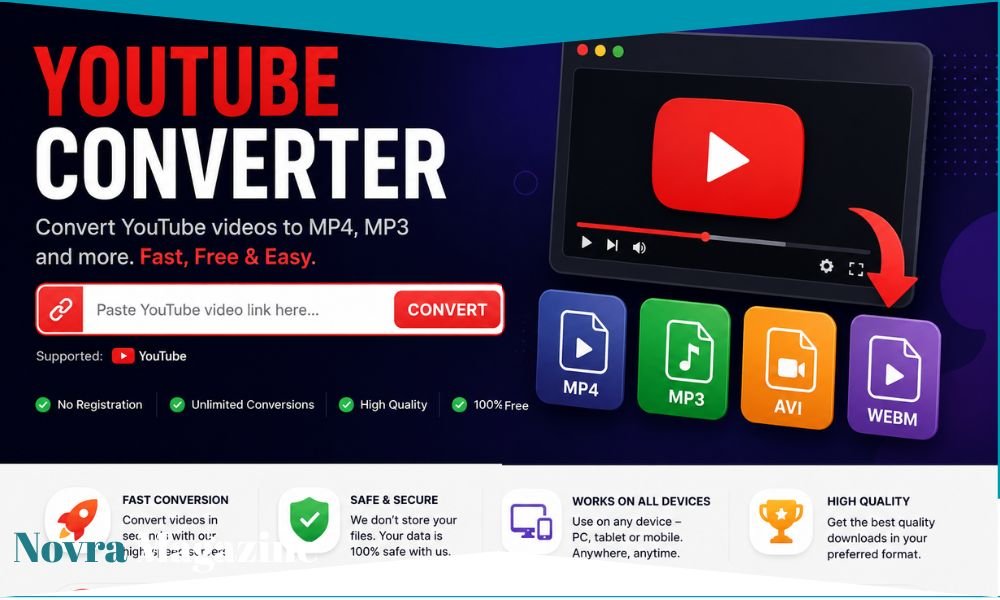
A youtube converter can look like a very simple tool: paste a video link, choose MP3 or MP4, and get a file. But there is much more happening behind that small button. Copyright rules, YouTube’s own restrictions, fake download buttons, pop-ups, malware, and privacy risks can all matter. The current YouTube Terms of Service say users generally may not download or reproduce YouTube content unless the service itself allows it or the required permission has been given. That means the safest question is not simply, “Which converter works?” It is, “Do I have permission to download this, and is there a safer official way to do it?”
What Is a YouTube Converter?
A YouTube converter is a tool that changes online video or audio into another file format.
The most common searches are for YouTube to MP3 and YouTube to MP4.
MP3 is mainly an audio format.
MP4 normally contains video and audio.
Someone may want an MP3 because they only need sound.
Another person may want an MP4 because they need the whole video.
The idea sounds simple, but whether a particular conversion is allowed depends on the content, the rights attached to it, and the way the file is obtained.
What Does YouTube to MP3 Mean?
YouTube to MP3 normally means taking the audio from a YouTube video and turning it into an MP3 audio file.
People often search for this when they want music, a podcast, a speech, an interview, or another piece of audio available offline.
The important point is that changing the format does not change copyright ownership.
If a song is copyrighted while it is inside a YouTube video, turning it into an MP3 does not suddenly make the song free to copy.
The U.S. Copyright Office says downloading copyrighted material without the copyright owner’s authority can infringe the owner’s reproduction rights. Exceptions can exist, but they depend on the facts and the law.
What Does YouTube to MP4 Mean?
YouTube to MP4 usually means creating a video file from YouTube content.
The resulting file may then be stored on a phone, tablet, laptop, or another device.
Again, the file format itself is not the main legal issue.
The real question is whether the person downloading has permission.
A video uploaded under YouTube’s standard licence is different from a video a creator has specifically released under a licence allowing reuse.
That is why a converter cannot tell you, by itself, whether your intended use is allowed.
Is Using a YouTube Converter Legal?
There is no one-word answer that works everywhere.
Copyright laws vary between countries.
The rights attached to each video can also differ.
However, there are two separate questions that people often mix together.
The first is copyright law.
The second is YouTube’s Terms of Service.
YouTube’s current terms say users may not reproduce, download, distribute, alter, or otherwise use content except when YouTube itself expressly allows it or when the required permission has been obtained.
So even when someone believes a particular use may be legally permitted, YouTube’s platform terms can still matter.
Does “Personal Use” Automatically Make Downloading Legal?
No.
This is one of the biggest misunderstandings around YouTube converters.
People sometimes believe:
“I am not selling it, so it must be legal.”
That is too simple.
The U.S. Copyright Office says unauthorized downloading of protected works can infringe copyright.
YouTube also says personal, non-commercial viewing is allowed through the service, but its terms separately restrict unauthorized downloading.
So “I only want it for myself” does not automatically answer either the copyright question or the YouTube Terms question.
Is YouTube to MP3 Illegal for Music?
Downloading copyrighted music without permission can create copyright problems.
This is especially important with commercial songs.
A song does not become free simply because somebody uploaded it to YouTube.
YouTube’s own copyright guidance says even using a small amount of protected content without permission may create copyright issues.
The U.S. Copyright Office also explains that musical compositions and sound recordings are protected types of creative work.
If you simply want to listen offline, official music and video services are usually the cleaner route.
What About Fair Use?
Fair use is real, but it is often misunderstood.
In the United States, fair use can allow some uses of copyrighted material without permission.
Examples can include criticism, commentary, teaching, research, and news reporting.
However, there is no magic sentence that turns a use into fair use.
YouTube says courts decide fair-use questions based on the facts of each case.
So writing “fair use” in a description does not automatically protect a person.
Neither does saying the project is educational.
The actual use matters.
Can You Download Your Own YouTube Videos?
Yes, YouTube provides an official method for creators to download videos they uploaded.
YouTube Help says creators can use YouTube Studio, go to their content, choose the relevant video, open the menu, and select Download.
This is an important difference.
You do not need a random third-party converter just to recover one of your own uploads.
Using YouTube’s own creator tools reduces both platform-rule questions and the security risk of entering links into unfamiliar websites.
If the original video is yours, start with YouTube Studio.
Can You Download Videos With YouTube Premium?
YouTube Premium offers official offline viewing where the feature is available.
YouTube says Premium members can download supported videos for offline viewing on mobile devices and on supported desktop browsers.
The important difference is that this works inside YouTube’s approved system.
It is not the same as receiving a normal MP4 file that you can freely move, edit, or redistribute.
Offline availability may also depend on the video and location.
For people who simply want to watch videos without an internet connection, this may remove the need for a converter completely.
Can You Download YouTube Videos Without Premium?
In some countries and regions, YouTube offers official offline downloads on mobile even without the normal Premium setup for eligible content.
YouTube Help says selected locations support offline mobile downloading, with availability depending on the video and region.
That means users should check whether a Download button already exists inside YouTube before looking for a third-party tool.
The official option will generally be safer for your account and device.
What Are Creative Commons Videos on YouTube?
YouTube supports a Creative Commons Attribution licence, also called CC BY.
Creators can choose this licence when they have the right to do so.
YouTube says CC BY content may be reused subject to the licence terms and proper attribution.
This is different from YouTube’s default Standard YouTube Licence.
However, there is an important detail.
Permission to reuse a work and permission to download it through a particular technical method are not always the same question.
You should still follow YouTube’s service terms and the exact licence conditions.
What About Public-Domain YouTube Videos?
Public-domain material is not protected by copyright in the same way as ordinary copyrighted works.
YouTube’s licence guidance recognises public-domain content as one type of material that may be eligible for Creative Commons licensing when uploaded appropriately.
But be careful.
A very old song might be in the public domain while a modern recording of that song is still protected.
An old film might be public domain while a newly restored version includes protected additions.
Do not assume “old” means “free.”
Check the actual work and recording.
Are YouTube Converter Websites Safe?
Not all of them.
This is one of the strongest reasons to be cautious.
Converter sites can contain large numbers of ads, redirects, fake buttons, browser-notification requests, and software offers.
The FTC advises people not to use unfamiliar websites to download free music, movies, shows, or games because this can expose devices to malware.
Google’s Safe Browsing system also warns users about websites connected with malware, phishing, malicious advertisements, and unwanted software.
A site producing the file you wanted does not prove everything else on that page is safe.
Why Do Converter Sites Have So Many Fake Download Buttons?
Advertising can be a major source of income for free websites.
The problem is that an advertisement may be designed to look like part of the tool itself.
A user sees:
DOWNLOAD NOW
and thinks it is the video button.
Instead, it may lead somewhere completely different.
The FTC warns that scammers place fake software advertisements on search engines and other platforms and recommends avoiding ads when looking for software downloads.
When several giant “Download” buttons appear on one page, caution is sensible.
Can a YouTube Converter Give You a Virus?
A converter file itself is not automatically a virus.
But unsafe converter pages may expose users to malware or unwanted software.
The FTC explains that malware can slow down a device, create pop-ups, redirect browsers, steal login details, or steal financial information.
Chrome also blocks some files it detects as dangerous and warns users about suspicious downloads.
If your browser says a file is dangerous, do not disable security just because a website tells you to.
That warning exists for a reason.
Should a YouTube Converter Ask You to Install an Extension?
Be very careful.
A simple web conversion normally should not require you to give an unknown extension broad access to your browser.
Browser extensions can sometimes read or change data depending on the permissions they request.
Google Safe Browsing specifically warns about untrusted extensions and dangerous downloads.
If a site says:
“Install this extension before downloading.”
stop and ask why.
You may be giving a small unknown program far more access than the video is worth.
Should a Converter Ask for Your YouTube Password?
No ordinary converter should need your Google or YouTube password just to process a public video link.
Entering your Google credentials on an unknown third-party page can expose your account.
Google’s own YouTube Terms tell users to keep account passwords confidential and not reuse Google account passwords in third-party applications.
If a website suddenly displays a Google-style login screen, check carefully before entering anything.
Phishing pages are designed to look real.
Can YouTube Converter Sites Steal Personal Information?
Unsafe sites can.
The issue is not unique to converters.
Any malicious website can try to trick users into entering login details, payment information, email addresses, or other private data.
Google Safe Browsing warns about sites that may attempt to steal passwords or personal information.
The FTC also warns that malware can be used to steal account and financial information.
A simple media conversion should not require your banking details, social-media password, or unnecessary personal information.
Why Does a Converter Sometimes Redirect to Another Website?
Many free sites use advertising networks.
Clicking a button may open another tab or page.
Sometimes this is ordinary advertising.
Sometimes it can lead to something unsafe.
Malicious advertising, often called malvertising, can be used to spread harmful software or send users to dangerous pages. CISA has published guidance specifically addressing this threat.
If a conversion page begins opening gambling pages, fake virus warnings, adult advertisements, or strange software installers, close the tabs.
Do not keep clicking to find the “real” button.
What Is the Difference Between MP3 and MP4?
MP3 is mostly used for audio.
MP4 is a multimedia container that commonly holds video and audio together.
If someone converts a music video to MP3, the visual part is removed and only audio is kept.
If someone downloads an MP4, the video picture is normally retained.
Neither format guarantees quality.
A converter cannot magically create information that was not present in the original stream.
A low-quality source will not become true studio-quality audio simply because the website labels the output “320 kbps.”
Does Converting YouTube to MP3 Improve Audio Quality?
No.
Conversion can change the format or bitrate, but it cannot restore sound information that has already been lost.
Think about it like enlarging a blurry photograph.
You can make the image bigger.
You cannot automatically recreate every missing detail.
The same basic idea applies to audio.
A website may offer several bitrate buttons, but a larger number does not always mean the original source suddenly contains more real sound information.
This is one reason huge “HD MP3” claims should be treated carefully.
Why Does Converted Audio Sometimes Sound Worse?
Every conversion can affect quality.
If compressed audio is processed again, some detail may be lost.
The result can sound flatter, rougher, or less clear.
Different converter services also use different processing settings.
That means two websites can produce different files from the same source.
For high-quality music, an official download or streaming service designed for music is usually a better choice than repeatedly converting a compressed online video.
Why Does a Converted Video Look Blurry?
Several things can happen.
The converter may choose a lower-resolution video stream.
It may recompress the video.
It may reduce the bitrate.
The original upload itself may also be low quality.
A “1080p” label does not automatically mean the downloaded file preserves the quality you saw in YouTube’s player.
File size and quality are linked, but the relationship is not always simple.
Very small files normally involve more compression.
Why Do Some YouTube Converters Stop Working?
YouTube is not designed around supporting third-party conversion sites.
The platform changes its service, technical systems, and policies over time.
YouTube’s terms also restrict unauthorized automated access and downloading.
As a result, a converter may work today and fail tomorrow.
A site may also disappear, change its domain, or be blocked.
That is one reason recommending a random list of “10 best converter sites” can become outdated very quickly.
Safety and legality matter more than which domain happens to work this week.
Is There an Official YouTube Converter?
YouTube does not offer a general official tool that turns any video into an unrestricted MP3 or MP4 file.
Instead, YouTube provides specific approved features.
Creators can download their own uploaded videos through YouTube Studio.
Premium users can download eligible videos for offline watching through supported YouTube apps and browsers.
Some regions also have official offline-download features.
These options solve many common reasons people search for converters.
Can I Convert My Own YouTube Content to MP3?
If the content belongs entirely to you, you have much more control over the underlying rights.
YouTube also provides a direct way to download your own uploaded video through Studio.
Once you have your own source file or properly downloaded copy, you can use normal media software to create another format.
Still check whether your video contains music, clips, photographs, or other material owned by someone else.
Owning the video upload does not necessarily mean you own every element inside it.
Can I Use a YouTube Converter for School Work?
“School work” does not automatically make copying legal.
Educational uses can sometimes fall within copyright exceptions such as fair use in the United States, but the facts matter.
YouTube specifically notes that teaching and research are examples that may be relevant to fair use, while also warning that courts ultimately decide whether a particular use qualifies.
Often, embedding or linking to the original YouTube video is simpler.
That lets the creator’s original upload remain the source.
Can I Download a Clip for Commentary or Review?
Commentary and criticism can be relevant to fair-use analysis in the United States.
But there is no automatic right to take any amount of a video simply because you plan to talk about it.
Courts consider several factors, including the purpose of the use, the type of work, how much was used, and the effect on the market for the original.
Other countries use different copyright exceptions.
For a commercial or important project, proper legal advice may be worthwhile.
Can You Reupload Converted YouTube Videos?
Reuploading someone else’s complete video can create serious copyright problems.
YouTube has systems allowing copyright owners to request removal of content they believe was uploaded without permission.
YouTube also operates tools that can help rights holders identify copies or potential copies of their videos.
Changing a file from MP4 to another format does not create ownership.
Adding a logo does not create ownership.
Giving credit also does not automatically replace the need for permission.
Does Giving Credit Make It Legal?
Not automatically.
Credit and permission are different things.
A Creative Commons licence may require credit because the creator has already granted certain reuse rights.
But if ordinary copyrighted content has not been licensed for your intended use, writing the creator’s name does not automatically grant permission.
YouTube’s copyright guidance specifically warns against common copyright myths.
Always look at the actual licence or permission.
Is It Safe to Download Converter Apps?
Treat unknown apps with the same caution as unknown websites.
Do not install software simply because an advertisement says it is the “official YouTube downloader.”
The FTC warns that fake software advertisements can lead to malicious downloads.
Use official app stores where possible.
Read permissions.
Look at the developer.
Check whether the software is still maintained.
And remember that being available online does not automatically mean an app is approved by YouTube.
What Should You Do if a Converter Opens a Fake Virus Warning?
Do not call the phone number.
Do not download the “security tool.”
Do not give anyone remote access to your computer.
The FTC specifically warns about fake security pop-ups that tell users their device has a problem and ask them to contact fraudulent technical support.
Close the page.
If something was downloaded, use updated security software to scan the device.
If you entered a password, change it through the real service.
What Should You Do if Chrome Blocks the Converter Download?
Do not automatically force the download.
Chrome says it blocks some dangerous downloads to protect devices and accounts from malware and viruses.
A converter site may claim:
“Your browser is wrong. Disable security.”
That is not a good reason to ignore the warning.
If you do not fully trust the file, delete it.
There are very few videos worth risking your main computer, email account, or personal files.
What Is the Safest Alternative to a YouTube Converter?
It depends on what you are trying to do.
If you want to watch offline, check YouTube’s own Download feature or YouTube Premium.
If you want your own uploaded video, download it from YouTube Studio.
If you need music, use a licensed music service or obtain the track from an authorised source.
If you want to reuse somebody else’s video, ask the creator for permission or check whether it has a suitable licence.
These routes may feel less exciting than a one-click converter.
They are usually much clearer.
What Should You Check Before Using Any Converter?
First, ask whether you have permission to obtain the file.
Then consider whether YouTube already offers an official download option.
If you still visit an unfamiliar site, never enter your Google password.
Do not install strange browser extensions.
Avoid fake download advertisements.
Pay attention to browser security warnings.
Do not provide unnecessary payment or identity information.
And scan unexpected files before opening them.
The FTC recommends avoiding unfamiliar websites offering free downloads because they can expose users to malware.
FAQs About YouTube Converter
What is a YouTube converter?
A YouTube converter is a tool that changes YouTube video or audio into another file type, commonly MP3 or MP4.
Is a YouTube converter legal?
It depends on the content, permission, local copyright law, and method used. YouTube’s Terms currently restrict downloading unless YouTube expressly authorizes it or the required permission has been obtained.
Is YouTube to MP3 legal?
Converting content you do not have permission to copy can create copyright problems. The U.S. Copyright Office says unauthorized downloading of protected works can infringe copyright.
Can I download my own YouTube videos?
Yes. YouTube officially allows creators to download videos they uploaded through YouTube Studio.
Can I download YouTube videos with Premium?
Yes, eligible YouTube Premium users can download supported videos for offline viewing through YouTube’s approved system.
Does YouTube Premium give me an MP4 file?
The Premium download feature is designed for offline viewing within YouTube’s supported environment rather than giving users an unrestricted normal video file.
Are free YouTube converter websites safe?
Not all of them. The FTC warns against unfamiliar websites offering free downloads because they can expose users to malware.
Can a YouTube converter give my phone a virus?
Unsafe downloads can contain malware or unwanted software. Google and the FTC both advise caution with suspicious sites and files.
Why are there so many pop-ups on converter sites?
Some free sites rely heavily on advertising. Malicious or deceptive ads can also redirect users to unsafe pages or software.
Should a converter ask for my Google password?
You should not give an unknown converter your Google password. YouTube tells users to keep account passwords confidential and not reuse them in third-party applications.
What is YouTube to MP4?
It normally means creating a video file containing the picture and audio from online content.
What is YouTube to MP3?
It normally means extracting or converting audio into an MP3 file.
Does converting to MP3 improve sound quality?
No. A converter can change format or bitrate, but it cannot restore audio information missing from the original source.
Are Creative Commons YouTube videos free to reuse?
YouTube says videos released under its Creative Commons Attribution option may be reused according to the CC BY licence terms, including attribution requirements.
Can I reupload a converted YouTube video?
Uploading copyrighted content without permission can lead to copyright claims or removal requests.
Is fair use the same as free use?
No. Fair use is a legal doctrine decided according to the circumstances of a particular use. It does not make all online content free.
Can I download YouTube videos for school?
Educational purpose can be relevant to copyright exceptions, but it does not automatically make every download legal.
Why did my YouTube converter stop working?
Third-party converters can break when YouTube changes its technology or access rules. YouTube also restricts unauthorized downloading and automated access under its current terms.
Is there an official YouTube to MP3 converter?
YouTube does not provide a general tool that turns arbitrary videos into unrestricted MP3 files. It instead provides approved offline viewing and creator-download features.
What is the safest way to watch YouTube offline?
Use YouTube’s official offline-download options where available, including YouTube Premium.
What should I do if a converter says my computer has a virus?
Do not call numbers shown in suspicious pop-ups or install unknown “repair” tools. The FTC warns that fake security alerts are a common scam technique.
Final Thoughts
The phrase youtube converter sounds harmless.
Sometimes the need behind it is harmless too.
Maybe you uploaded your own video years ago and want a copy.
Maybe you want to watch something offline during a journey.
Maybe you need material that a creator has clearly licensed for reuse.
The problem begins when a simple conversion tool hides bigger questions.
Who owns the video?
Do you have permission?
Does YouTube itself allow this kind of download?
Is the website safe?
What happens when you click the giant green button?
YouTube’s current Terms of Service are clear that downloading and reproducing content is restricted unless the service expressly allows it or the needed permission exists.
Copyright creates another layer.
The U.S. Copyright Office explains that unauthorized downloading of protected material can infringe the copyright owner’s rights.
There are exceptions.
There is fair use.
There is public-domain material.
There is Creative Commons content.
Creators can also give direct permission.
But none of those ideas mean every YouTube video is free to turn into an MP3.
Safety matters just as much.
The FTC warns people not to use unfamiliar sites to download free music, movies, shows, and similar material because malicious downloads can expose devices to malware.
That is why the best approach in 2026 is often the simplest.
Want your own video?
Use YouTube Studio.
Want to watch offline?
Check YouTube Premium or YouTube’s official Download button where available.
Want to reuse somebody else’s work?
Check the licence or ask permission.
Want copyrighted music as an audio file?
Use an authorised music source rather than assuming a converter creates permission.
Technology can make copying something very easy.
That does not always make the copying safe, permitted, or smart.
The best converter decision is therefore sometimes choosing not to convert at all.
For more info, visit novra magazine