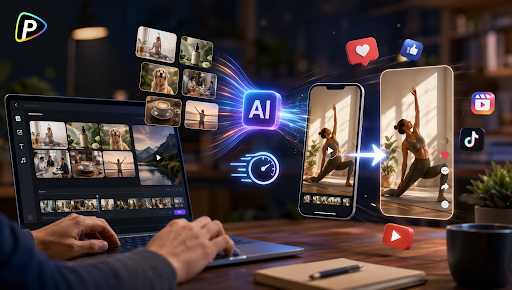
Businesses often need short videos to showcase products, explain services, or promote campaigns, but producing video content manually can require significant time and resources. For small teams, the challenge is often not coming up with ideas but turning those ideas into engaging videos efficiently.
Seedance 2.5 on Pollo AI provides an AI video creation workflow that helps businesses transform text descriptions, images, and reference materials into short videos. The model supports text-to-video, image-to-video, multi-reference inputs, and video editing capabilities, allowing users to create product demonstrations, promotional clips, and brand content with more control over the visual direction.
Instead of arranging every scene manually, businesses can provide creative instructions, upload visual references, and let AI generate video content based on their requirements. This article explains how to use Seedance 2.5 on Pollo AI to create short business videos, from preparation and generation to refinement and publishing.
What to Prepare Before Creating Business Videos with Seedance 2.5 on Pollo AI
Before creating a video, businesses should prepare a clear goal and suitable reference materials. Since AI video generation depends on the information provided, accurate inputs can help produce more consistent results.
Define the Video Goal and Content Style
Businesses should first decide what type of video they want to create. A product showcase may focus on features and usage scenarios, while a promotional or brand video may focus on storytelling and visual style.
Defining the purpose in advance helps create more targeted prompts and ensures the generated video matches the intended marketing goal.
Prepare Product Images and Reference Materials
Seedance 2.5 on Pollo AI supports reference-based video generation, allowing businesses to use images, videos, and other visual materials to guide the output.
For product videos, businesses should prepare clear product images, brand assets, or style references. More references do not always mean better results. Low-quality images, repeated angles, or inconsistent product versions may reduce output accuracy.
How to Create Product Videos Using Seedance 2.5 on Pollo AI
After preparing the necessary materials, businesses can begin creating videos with Seedance 2.5 on Pollo AI. The workflow generally involves selecting a generation method, uploading references, writing scene instructions, and refining the final output.
Select Seedance 2.5 and Choose a Video Generation Method
Users can start by opening Pollo AI Video Generator and selecting Seedance 2.5 from the available AI video models.
The model supports different creation approaches depending on the materials available. Businesses with only a creative idea can start with text-to-video by describing the scene they want to create. Those with existing product images or brand visuals can use image-to-video to transform static materials into dynamic video content.
Choosing the right method can improve efficiency. For example, a product brand with professional photography may achieve more accurate results by using images as references instead of relying entirely on text descriptions.
Upload References and Add Scene Instructions
After selecting the generation method, users can upload their prepared materials and provide detailed instructions for the video.
A useful prompt should describe more than just the product. It can include the environment, actions, camera movement, lighting, and overall visual style.
For example:
“Create a premium coffee product video showing a cup placed on a modern café table. Use warm lighting, slow camera movement, close-up product shots, and a lifestyle commercial style.”
This type of description gives the model clearer guidance about how the scene should look and move.
Businesses can also use negative prompts when necessary to reduce unwanted elements, such as incorrect text, unrealistic objects, or distracting visual details.
Generate and Review the AI Video
Once the references and prompt are ready, users can generate the video and review the result.
The first output may not always match the original concept perfectly. Businesses should check whether the product appearance remains accurate, whether the scene matches the intended purpose, and whether the overall style fits their brand.
Some common issues include unexpected product changes, unnatural movements, or visual details that do not match the original reference.
For business use, reviewing the generated content before publishing is important because even small inaccuracies can affect customer trust.
Refine and Export the Final Video
If the generated video requires changes, businesses can improve the result by adjusting prompts, replacing references, or modifying scene descriptions.
For example, they may refine camera movement, change the background environment, or provide clearer instructions about product placement.
Seedance 2.5 also supports video editing capabilities, allowing users to make adjustments to generated content instead of always creating a completely new video.
After confirming the final result, businesses can export the video and use it for social media posts, product pages, advertisements, or other marketing purposes.
Tips for Creating Better Business Videos with Seedance 2.5 on Pollo AI
Creating effective AI videos is not only about generating content quickly. The quality of the final result often depends on how clearly businesses communicate their ideas and manage the input materials.
Keep Prompts Specific and Scene-Focused
A detailed prompt usually produces more predictable results than a general description.
Instead of asking AI to “make a product video,” businesses should explain what the product is doing, where the scene takes place, and how the camera should capture the action.
However, overly complicated prompts can also create problems. Including too many scenes or unrelated ideas may make the output less consistent. A focused scene description is often easier for the model to interpret.
Use Consistent References for Better Results
Reference images help guide the appearance of products, characters, and environments.
Businesses should prioritize quality over quantity when selecting references. A few clear and relevant images may work better than many inconsistent materials.
For commercial videos, using accurate product images is especially important because AI-generated visuals should match the real product customers will see.
Review AI Videos Before Publishing
AI-generated videos can reduce production time, but they still require human review.
Before publishing, businesses should check whether the video represents the product accurately, matches the brand style, contains correct visual information, and fits the expectations of the target audience.
This final review helps ensure that AI-generated content supports the business goal instead of creating confusion.
Conclusion
Creating short business videos can be challenging when every step depends on traditional filming and editing. AI video generation provides an alternative workflow by allowing businesses to turn ideas, images, and reference materials into video content more efficiently.
With Seedance 2.5 on Pollo AI, businesses can follow a practical process: prepare materials, select a generation method, upload references, write detailed prompts, generate videos, and refine the final output. By combining AI capabilities with accurate information and careful review, businesses can create short videos that better support their marketing needs.